Catalog
In-stock items first, deepest deals next.
Download and install
Download Catalog 1.4.0 (.zip, 245 KB)
- Go to Plugins → Add New Plugin → Upload Plugin.
- Choose the zip you downloaded, then click Install Now.
- Click Activate Plugin.
- Open Factorize → Catalog.
Already installed? Updates arrive in Plugins like any other plugin. Full install guide
Where to find it
Factorize → SellingWhat it does
- Best deals and Most popular sorting.
- Out-of-stock items always sort last.
- SKU search that lands on the exact product.
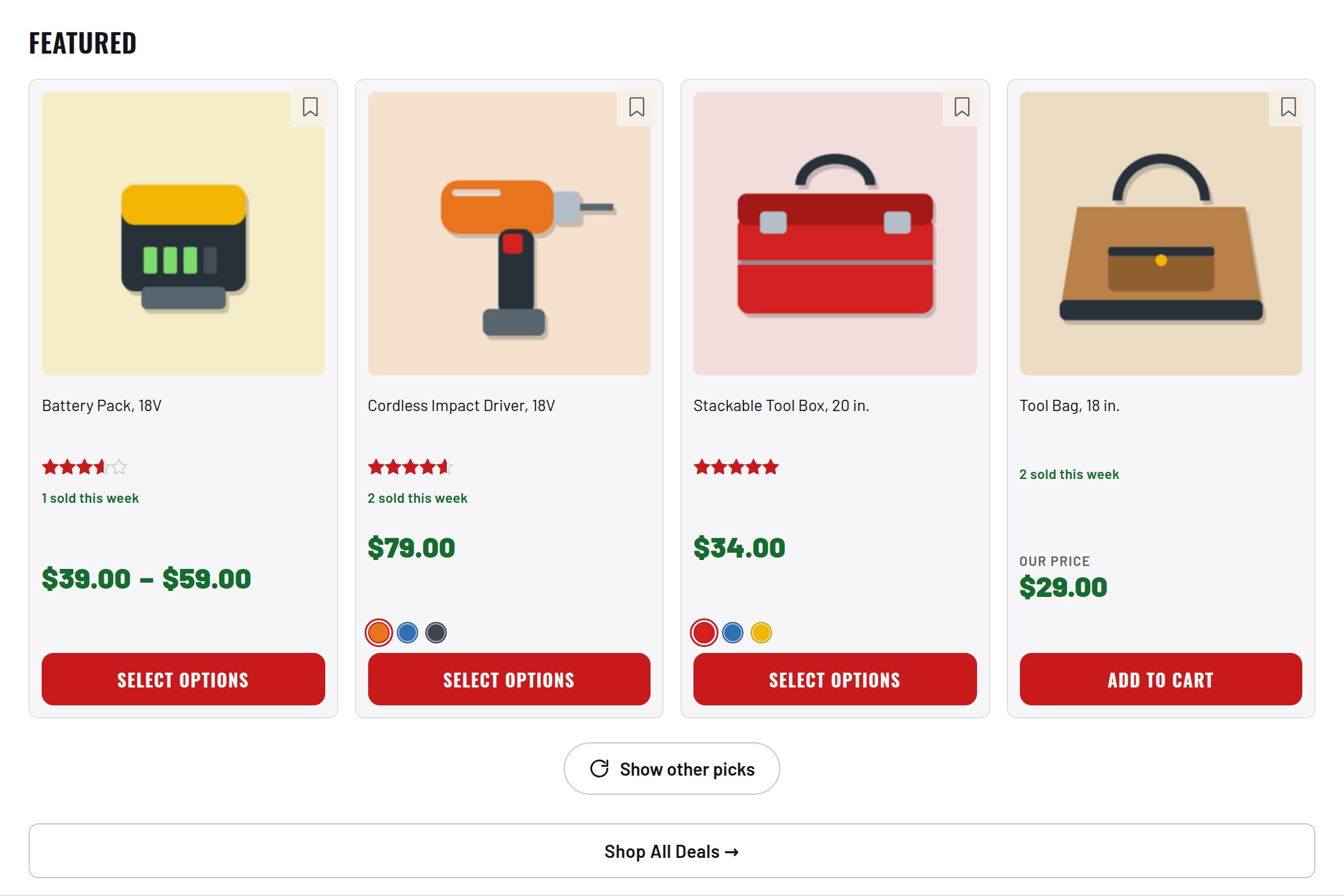
- Sold-this-week badges, a Featured picker and infinite scroll.
Screenshots
What it does for you
Default WooCommerce sorting was not built for a bin store: out-of-stock items clutter every page, “popularity” only knows what your store sold, discounts play no part in ordering, and a customer who types a model number finds nothing because WordPress searches titles only. Catalog sorts every listing the way a merchandiser would — in stock first, proven sellers up, deepest discount wins — and makes search find products by SKU. The whole default order runs off one precomputed integer per product, so it stays a single indexed query.
Features
- “Best deals” default sortA precomputed rank (_et_rank) encodes four banded signals in one integer: in stock › units sold this week (cap 9,999) › lifetime sold (cap 999) › percent off (cap 99). A lower band can never outweigh a higher one.
- Automatic rank maintenanceRecomputed on product save, on every stock change, and on order status changes — no cron to configure. One-time backfill: wp eval "empire_tools_rebuild_ranks();"
- “Most popular” sortDriven by a 0–100 industry popularity score (product-type keywords × brand market share) computed from each title — what sells in the market at large, not just in your store.
- Out-of-stock always lastIn every sort — price, newest, rating — via one indexed join on wc_product_meta_lookup. Demoted, never hidden.
- SKU and model-number searchSite search matches the _sku meta; an exact SKU search redirects straight to the product, even when it is out of stock.
- Sensible search orderExact SKU first, then in-stock items, then normal relevance.
- “X sold this week” badgesCounted from the last 7 days of processing/completed orders; a quiet product shows nothing rather than “0 sold”.
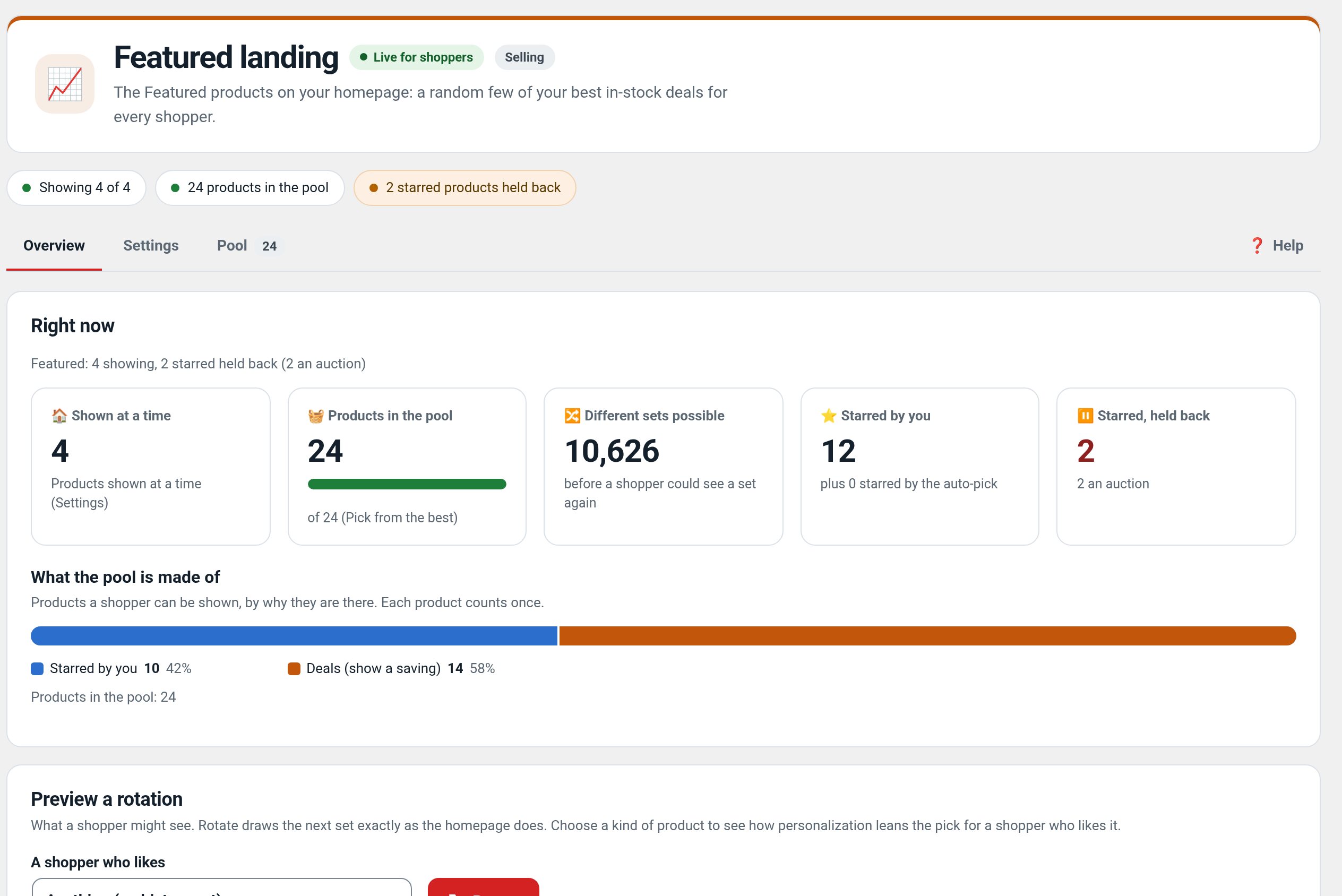
- Automatic Featured pickerempire_tools_refresh_featured() fills the Featured flag with the top popular, in-stock, photographed products (fallback: best-ranked deals). Configurable slot count.
- Infinite scrollShop, category, and search archives load continuously; real numbered pagination stays underneath for SEO and no-JS visitors.
Use cases
A high-turnover catalog where available deals should appear before sold-out stock.
Example
A shopper searches an exact SKU and lands on that item; sold-out products remain last in the grid.
Quick setup
- Activate (WooCommerce required). Recommended: Essentials alongside — the deal rank’s percent-off signal calls its empire_tools_discount_pct().
- On an existing catalog, backfill once: wp eval "empire_tools_rebuild_ranks();"
- Optionally fill Featured: wp eval "empire_tools_refresh_featured();" (Auctions runs this hourly when installed).
Configuration
| key | default | effect |
|---|---|---|
featured_limit | 4 | how many products the Featured picker selects |
Set any subset with WP-CLI — wp option update factorize-catalog_options '{"key":"value"}' --format=json — or return values from the factorize-catalog_config filter in a small plugin. Legacy empire-* option names are still read.
Reads factorize-catalog_options (legacy empire-catalog-ranking_options honored) through the factorize-catalog_config filter. Stores two post meta per product: _et_rank and et_popularity, plus an hourly transient of weekly sales.
Step-by-step guide
- See the ranking workOpen the shop: the sort dropdown reads Best deals (default) and Most popular; WooCommerce’s own store-sales popularity is removed to avoid a duplicate.
- Give products retail pricesAdd _et_retail_price to products (CSV import or the Vision plugin) so percent-off has something to rank against.
- Search a SKUType a full SKU (e.g. 2625-20) into search: you land on the product page. A partial number lists in-stock matches first.
- Tune Featuredwp option update factorize-catalog_options '{"featured_limit":8}' --format=json then wp eval "empire_tools_refresh_featured();"
- Watch the badgesComplete an order: within the hour the product shows “N sold this week” on its card and page.
Q&A
Why doesn’t the order change right after activation?
_et_rank is empty until each product is saved. Run the backfill once.
Why does Featured look like a best-discount list on a new store?
With few popularity scores and no orders yet, percent off decides. As scores seed and orders arrive, Featured sharpens on its own.
Does anything leave my server?
No — the popularity table is bundled in the plugin; there are no external calls.
Roadmap
- Manual pin/boost per product
- Exclude-from-Featured flag
- Scheduled Featured rotations
- A/B sort experiments
What I need from you
Recent changes
- 1.4.0
- Preview of the Featured block from the unsaved settings.
- 1.3.9
- Skips recording on a Simulate studio preview request (factorize_preview_request).
- 1.3.8
- Suite hub 1.12.3: the support bubble lifts above the save bar while the bar is on screen (on phones it no longer covers Save).