Docs · SEO
Guides
Buying-guide and collection pages built from your catalogue for long-tail searches, with guardrails: 4+ products, reviewed before indexing, retired when sold out.
Download and install
Download Guides 1.1.0 (.zip, 251 KB)
- Go to Plugins → Add New Plugin → Upload Plugin.
- Choose the zip you downloaded, then click Install Now.
- Click Activate Plugin.
- Open Factorize → Guides.
Already installed? Updates arrive in Plugins like any other plugin. Full install guide
Where to find it
Factorize → GuidesWhat it does
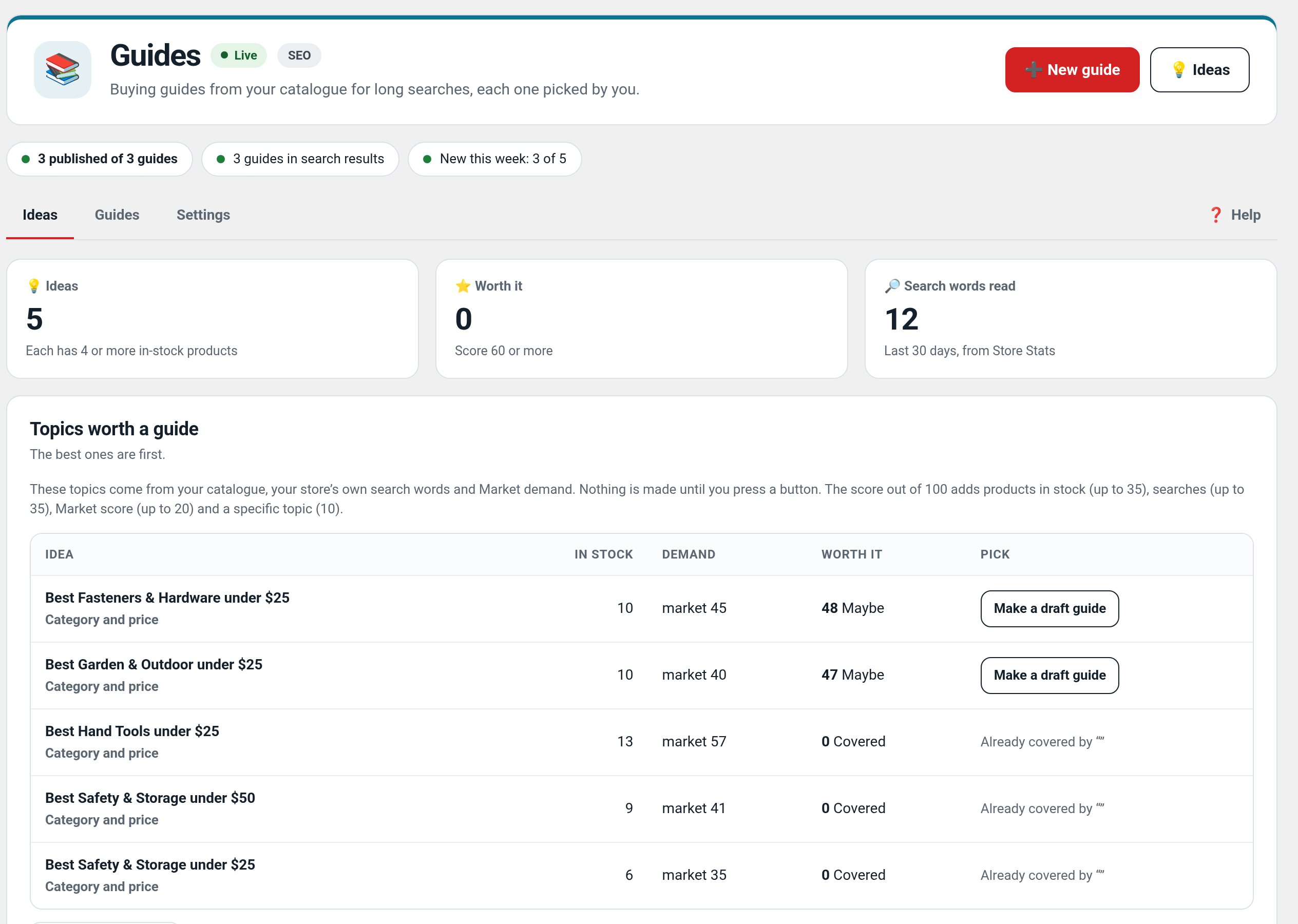
- Guide ideas from your catalogue and search words, with a worth-it score.
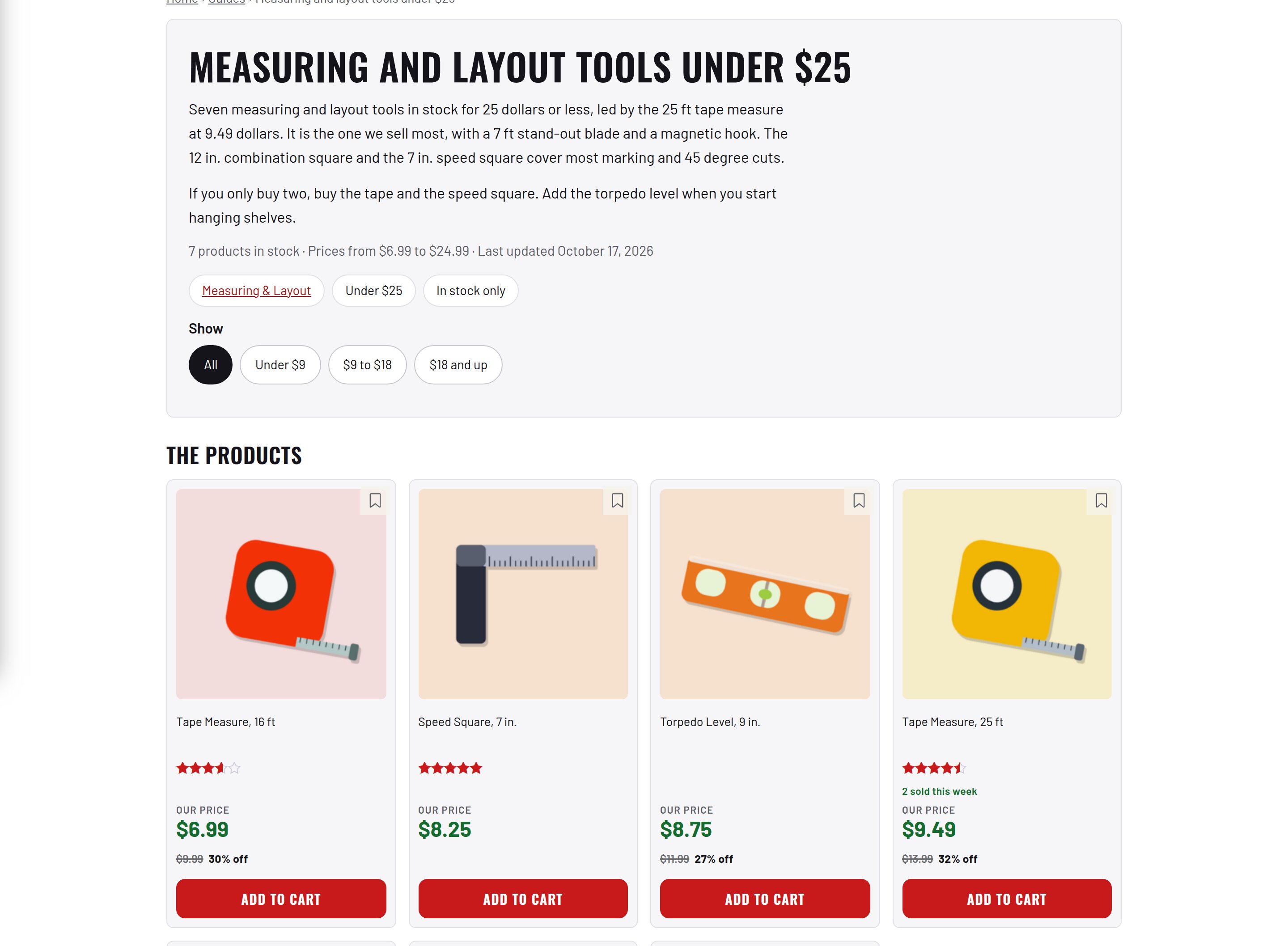
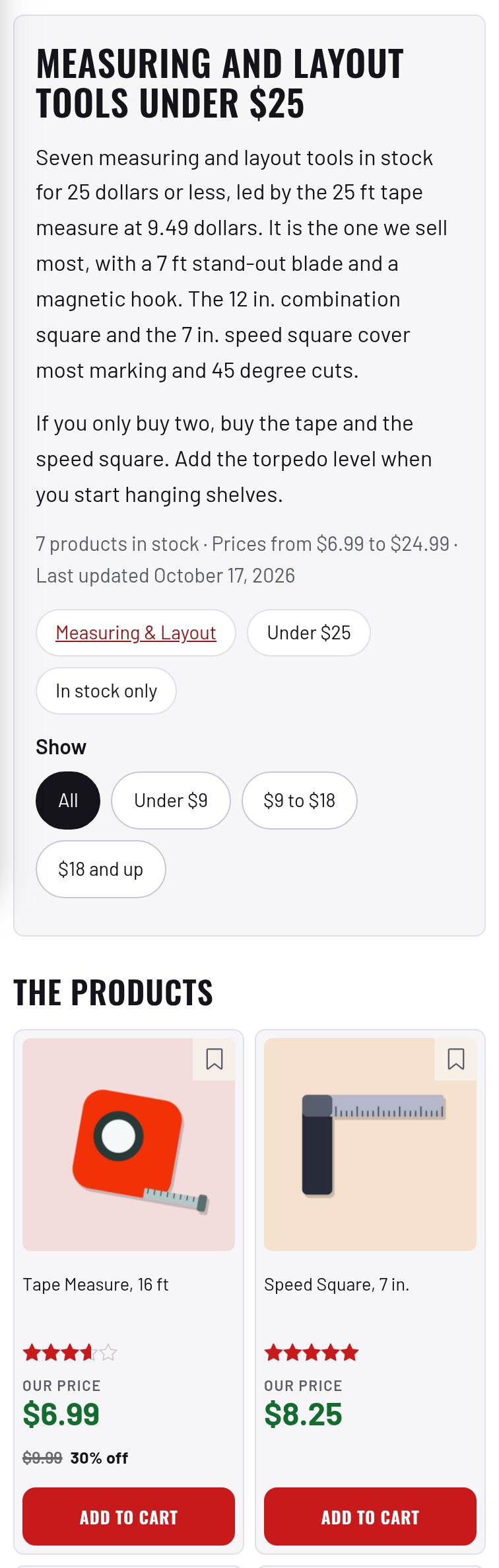
- Live product grid and comparison table, FAQ, intro you write or draft with AI.
- Guardrails: 4+ products, reviewed before indexing, retired when sold out.
Screenshots
Recent changes
- 1.1.0
- Guide page preview from the unsaved settings on a picked guide.
- 1.0.2
- Tokens standard: every token amount, estimate, balance and the out-of-tokens message uses the suite hub's one text (tokens with dollars); free tasks say Free; paid tools always use tokens; Buy tokens moved to Factorize → Account
- 1.0.1
- Product cards are never empty when the guide cache is built by cron or WP-CLI; the guide CSS uses the theme's colors in light and dark; the filter row no longer shifts the page on phones; links and the FAQ + use the text color. Suite hub 1.12.3: the support bubble lifts above the save bar.