Docs · Storefront
Promo
A site-wide banner strip with a start and an end date.
Download and install
Download Promo 1.2.0 (.zip, 172 KB)
- Go to Plugins → Add New Plugin → Upload Plugin.
- Choose the zip you downloaded, then click Install Now.
- Click Activate Plugin.
- Open Factorize → Promo.
Already installed? Updates arrive in Plugins like any other plugin. Full install guide
Where to find it
Factorize → Promo BannerWhat it does
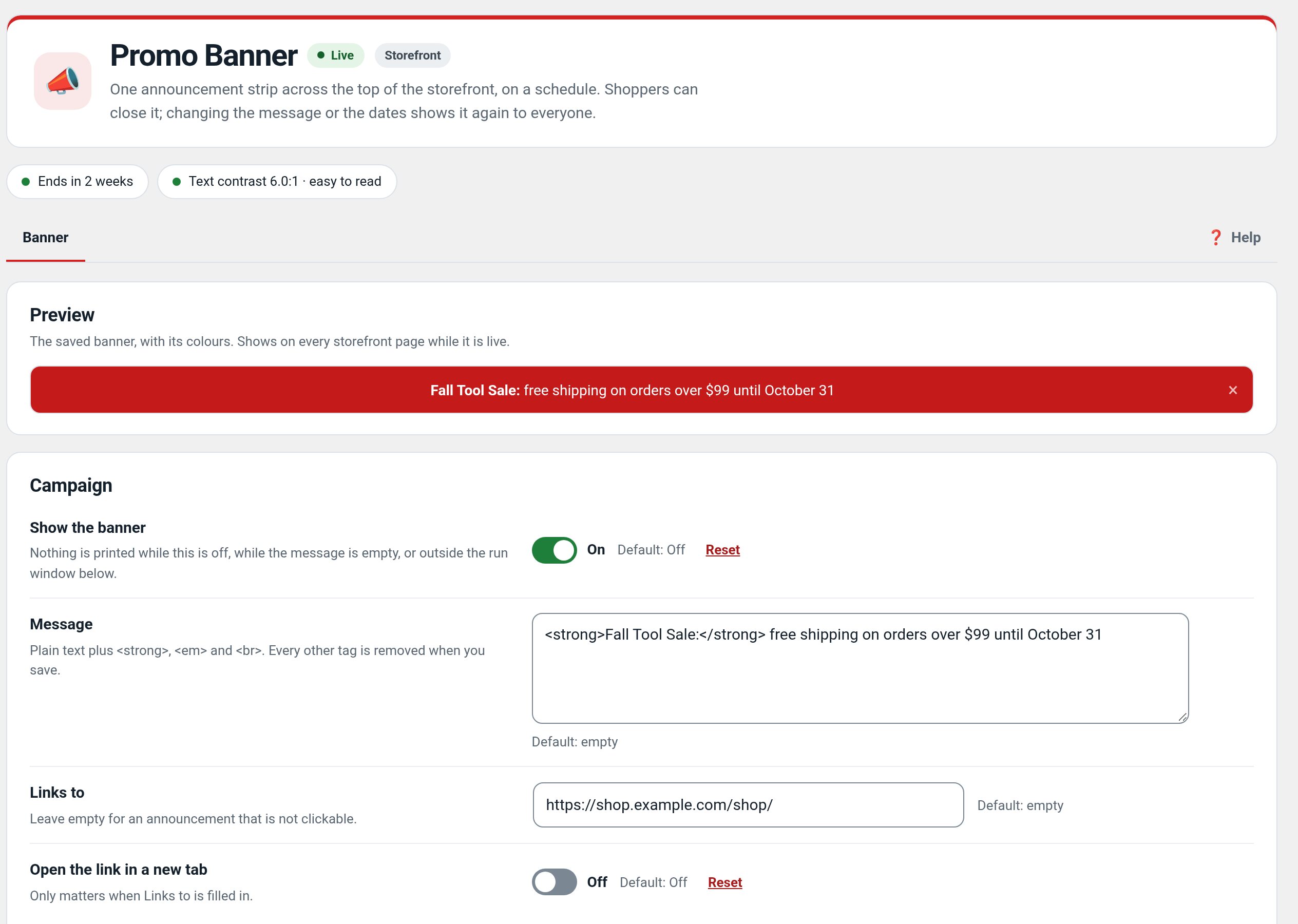
- Message, link and colours for each campaign.
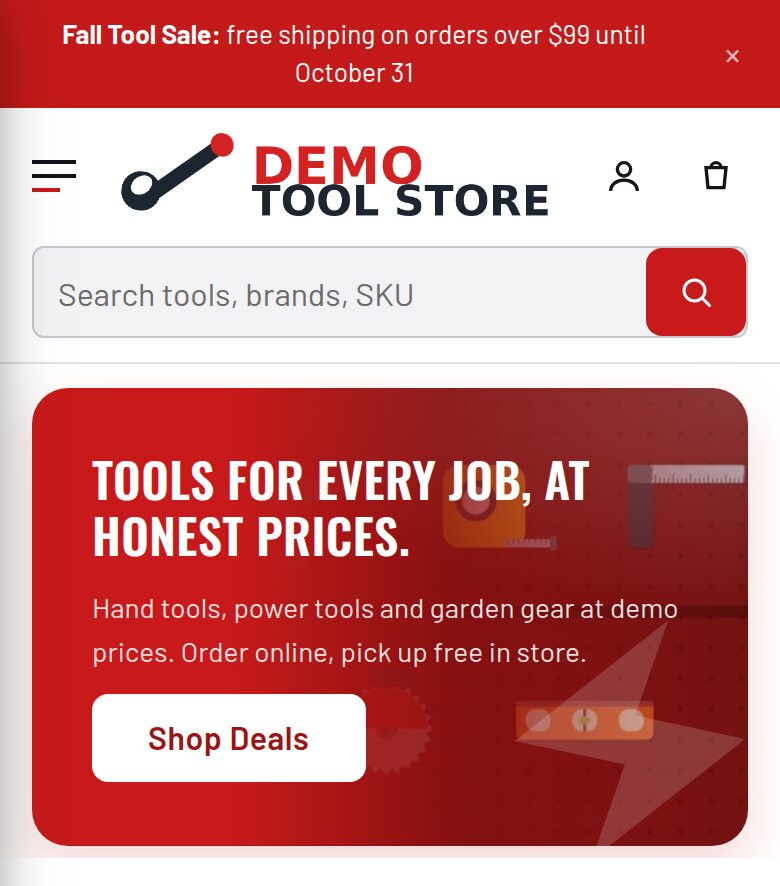
- Top or sticky placement.
- Runs inside a scheduled window and stops by itself.
- A dismissal that remembers itself per campaign.
Screenshots
What it does for you
Show a short promotion across the store only during its campaign window, with a link customers can follow and a dismissal remembered for that campaign.
Features
- Scheduled windowChoose when a campaign starts and ends.
- Placement and stylingSet the message, link, colours, and top or sticky placement.
- Remembered dismissalA shopper can close the banner without seeing it on every page.
- Automatic expiryThe banner stops showing when the campaign ends.
Use cases
A store running a time-limited sale or event announcement.
Example
Schedule a weekend sale banner linking directly to the sale category.
Quick setup
- Activate the plugin; open Factorize → Promo Banner.
- Enter the campaign message, destination link, display style, and start/end times.
- Save, then check the storefront and dismiss the banner once to confirm the campaign behavior.
Configuration
Step-by-step guide
- Launch a weekend offerSet a Friday start, Sunday end, and a link to the sale category; verify it is hidden outside the window.
Q&A
Does dismissal cancel the campaign for everyone?
No. It hides the banner for that shopper; the scheduled campaign remains active.
Does it edit product prices?
No. It displays a message and link only.
Roadmap
What I need from you
The inputs only the store owner can supply — keys, wording, photos, decisions, hardware — with the exact screen or command for each: Factorize Promo — what I need from you (PDF).
Recent changes
- 1.2.0
- Previews of pending changes: the banner strip, drawn by the real storefront code, with a live contrast check.
- 1.1.4
- Suite hub 1.12.3: the support bubble lifts above the save bar while the bar is on screen (on phones it no longer covers Save).
- 1.1.3
- Suite hub 1.12.2: an SEO tab on the Factorize dashboard for the new SEO modules.