Docs · Loyalty
Saves
Save a design for later without signing up.
Download and install
Download Saves 1.2.5 (.zip, 226 KB)
- Go to Plugins → Add New Plugin → Upload Plugin.
- Choose the zip you downloaded, then click Install Now.
- Click Activate Plugin.
- Open Factorize → Saves.
Already installed? Updates arrive in Plugins like any other plugin. Full install guide
Where to find it
Factorize → Saved DesignsWhat it does
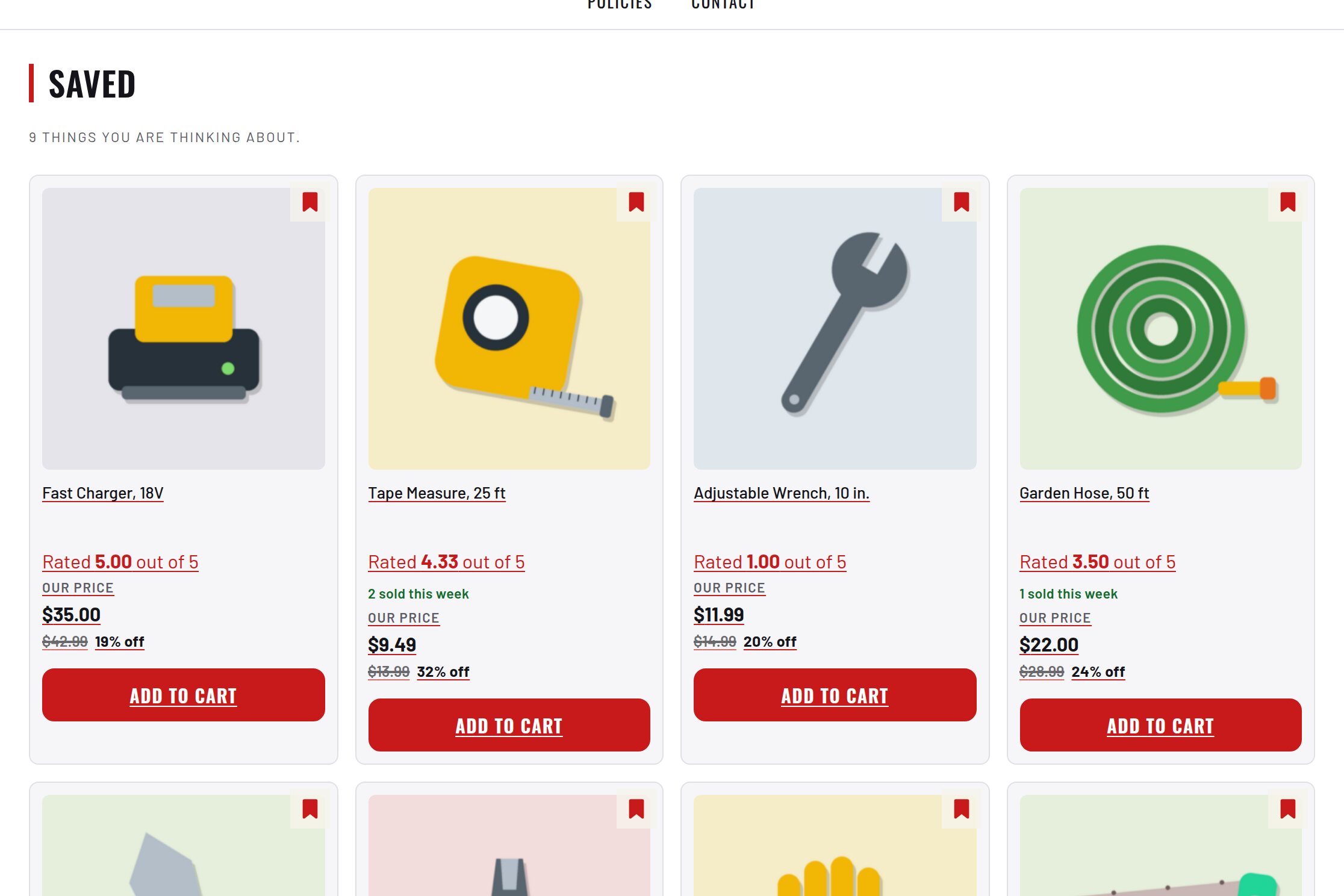
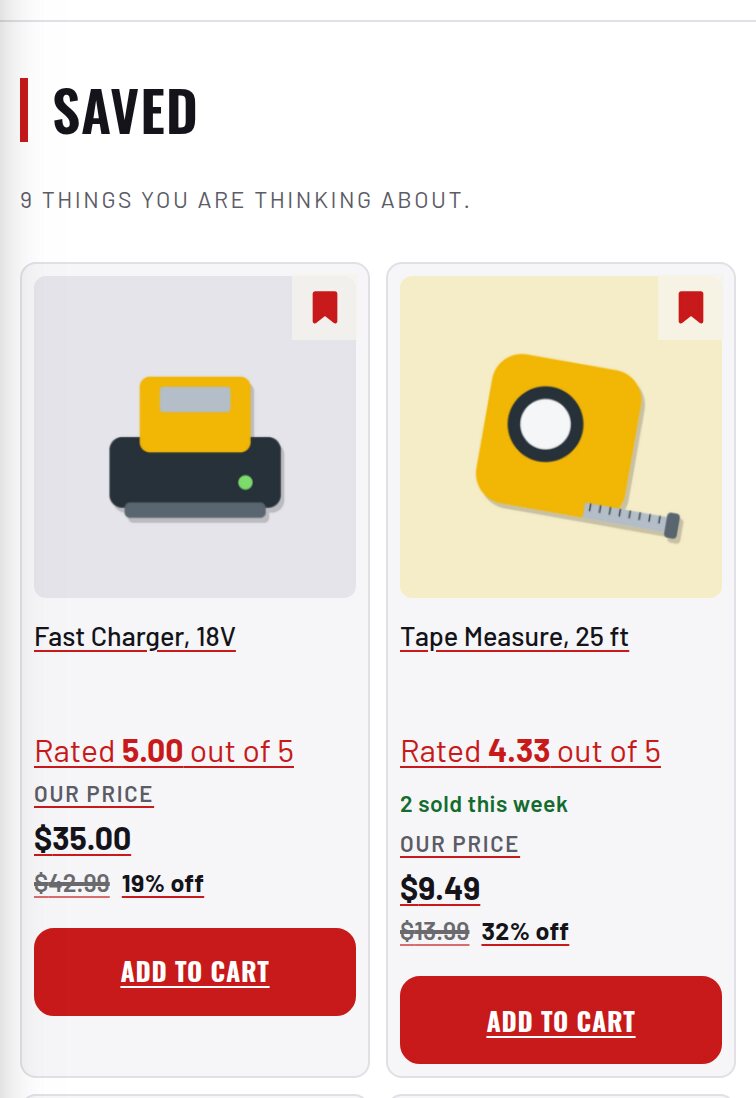
- A bookmark on every card and a Saved page.
- The list survives a reload and joins the account on sign-in.
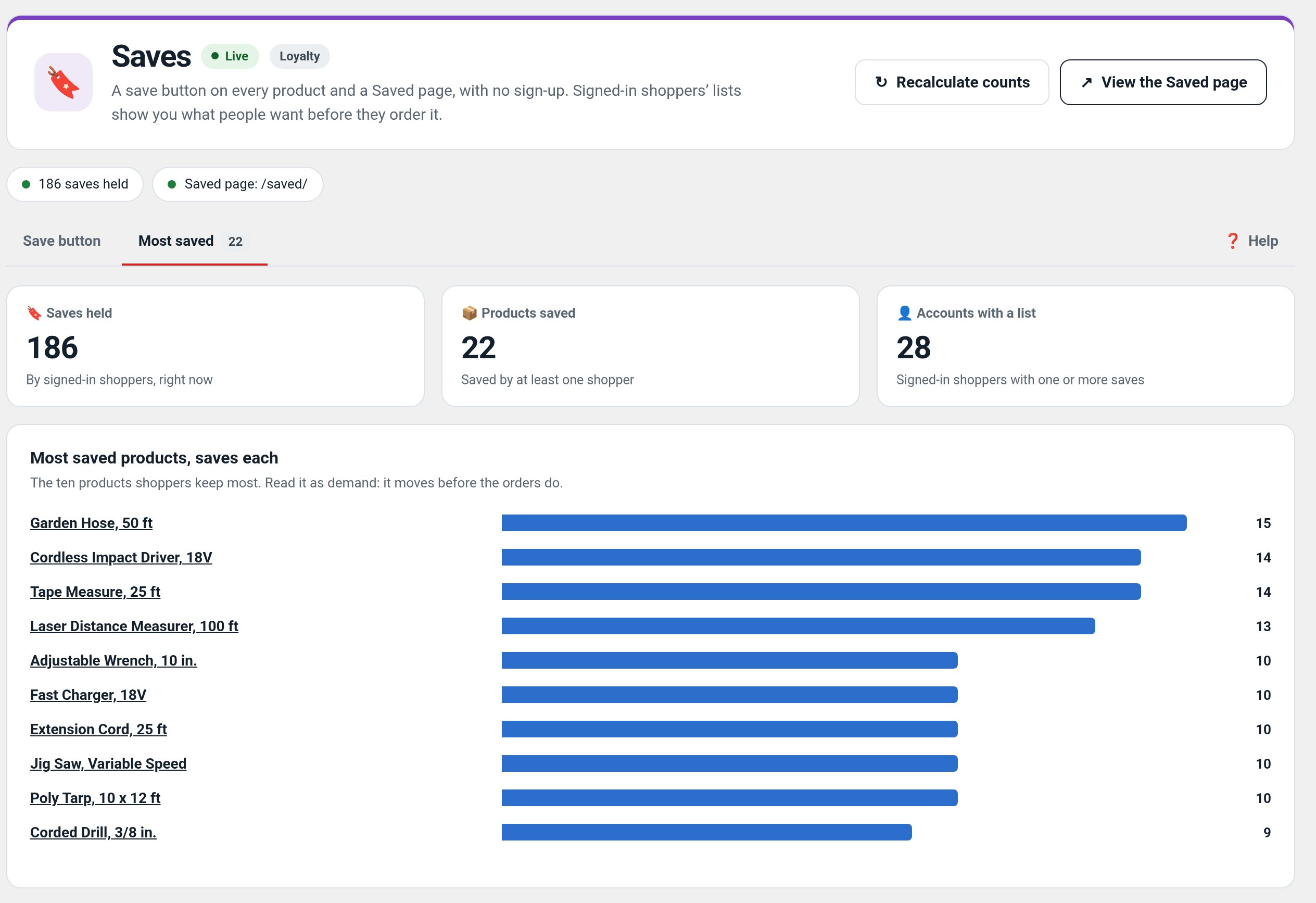
- An admin screen showing what people are keeping.
Screenshots
What it does for you
Make it easy to keep a shortlist while browsing, without forcing account creation before a shopper is ready.
Features
- Save controlAdd a bookmark action to product cards.
- Saved-items pageReview saved products in one list.
- Persistent listKeep saves after reload and associate them with an account after sign-in.
- Store insightGive admins a view of saved-design activity.
Use cases
Shoppers comparing several designs before deciding what to buy.
Example
A guest bookmarks two products, signs in later, and reviews the saved list.
Quick setup
- Activate Saves and add its Saved page/route to the store navigation.
- Test as a logged-out shopper: save an item and reload the page.
- Sign in and verify the saved list remains available.
Configuration
Step-by-step guide
- ExampleA guest bookmarks two items on mobile, signs in later on desktop, and finds both in Saved Designs.
Q&A
Can guests save items?
Yes; the list can be kept before sign-in and joined to the account later.
Does saving reserve stock?
No. A save is a bookmark, not a reservation.
Roadmap
What I need from you
The inputs only the store owner can supply — keys, wording, photos, decisions, hardware — with the exact screen or command for each: Factorize Saves — what I need from you (PDF).
Recent changes
- 1.2.5
- Skips recording on a Simulate studio preview request (factorize_preview_request).
- 1.2.4
- Suite hub 1.12.3: the support bubble lifts above the save bar while the bar is on screen (on phones it no longer covers Save).
- 1.2.3
- Suite hub 1.12.2: an SEO tab on the Factorize dashboard for the new SEO modules.