Docs · Operations
Assistant
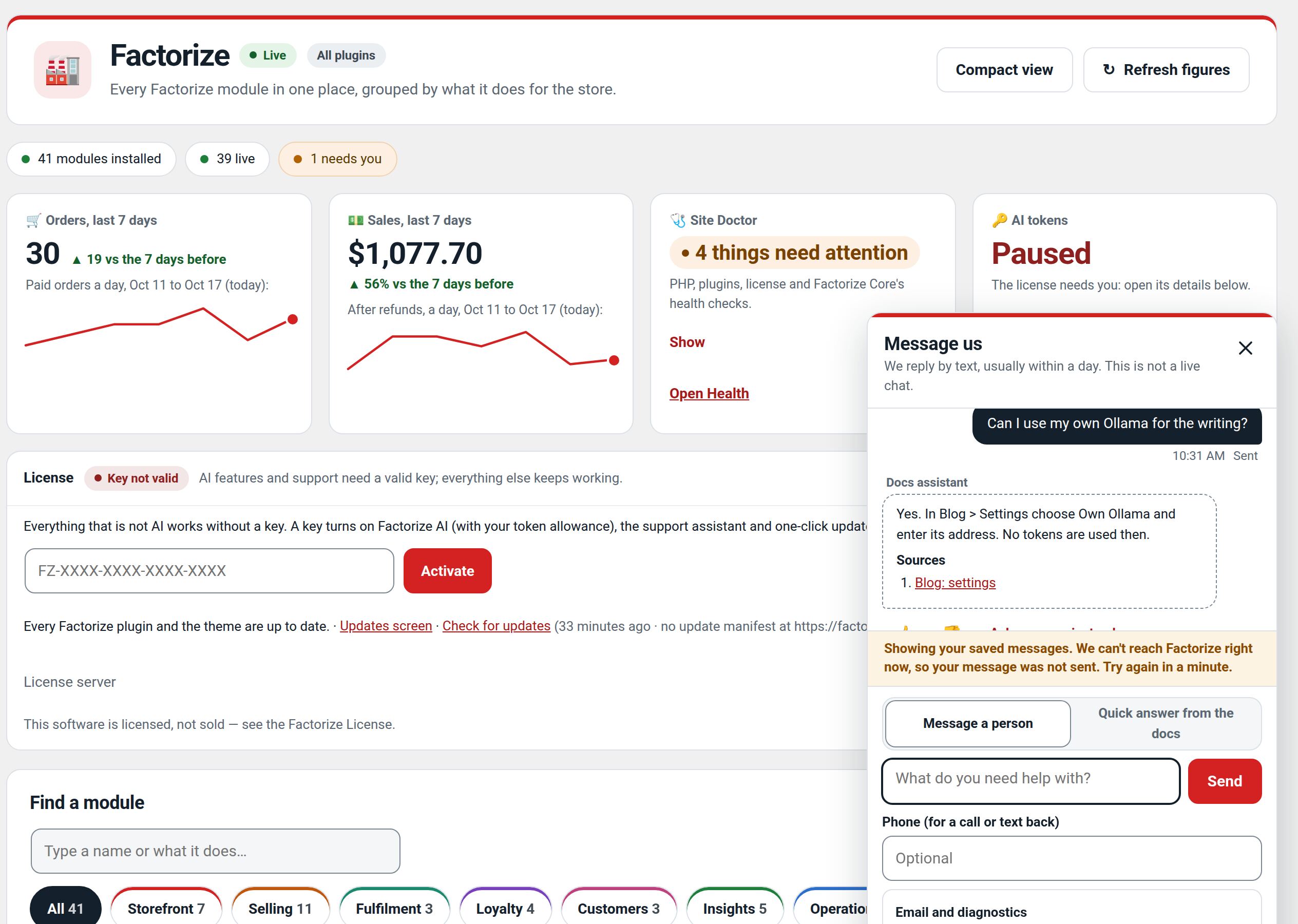
The "Message us" support button on every Factorize screen, for a site with no other Factorize plugin.
Download and install
Download Assistant 1.1.3 (.zip, 153 KB)
- Go to Plugins → Add New Plugin → Upload Plugin.
- Choose the zip you downloaded, then click Install Now.
- Click Activate Plugin.
- Open Factorize → Assistant.
License key: the AI features need one. Get a free key in My account, then paste it in Factorize → License. The rest of the module works without it.
Already installed? Updates arrive in Plugins like any other plugin. Full install guide
Where to find it
Bottom-right of every Factorize screenWhat it does
- Answers from the docs with sources, and a real person by email when you need one.
- Now built into every Factorize plugin, so this add-on only matters on a site with none.
- Safe to delete when another Factorize plugin is active; nothing is lost.
Recent changes
- 1.1.3
- Suite hub 1.12.3: the support bubble lifts above the save bar while the bar is on screen (on phones it no longer covers Save).
- 1.1.2
- Suite hub 1.12.2: an SEO tab on the Factorize dashboard for the new SEO modules.
- 1.1.1
- Suite hub 1.12.1: Download links for modules you have not installed, card figures only where drawn, nothing left running after deactivation