Perks
A paid membership with a discount and a shipping credit.
Download and install
Download Perks 1.2.0 (.zip, 172 KB)
- Go to Plugins → Add New Plugin → Upload Plugin.
- Choose the zip you downloaded, then click Install Now.
- Click Activate Plugin.
- Open Factorize → Perks.
Already installed? Updates arrive in Plugins like any other plugin. Full install guide
Where to find it
Factorize → CustomersUsers → ProfileWhat it does
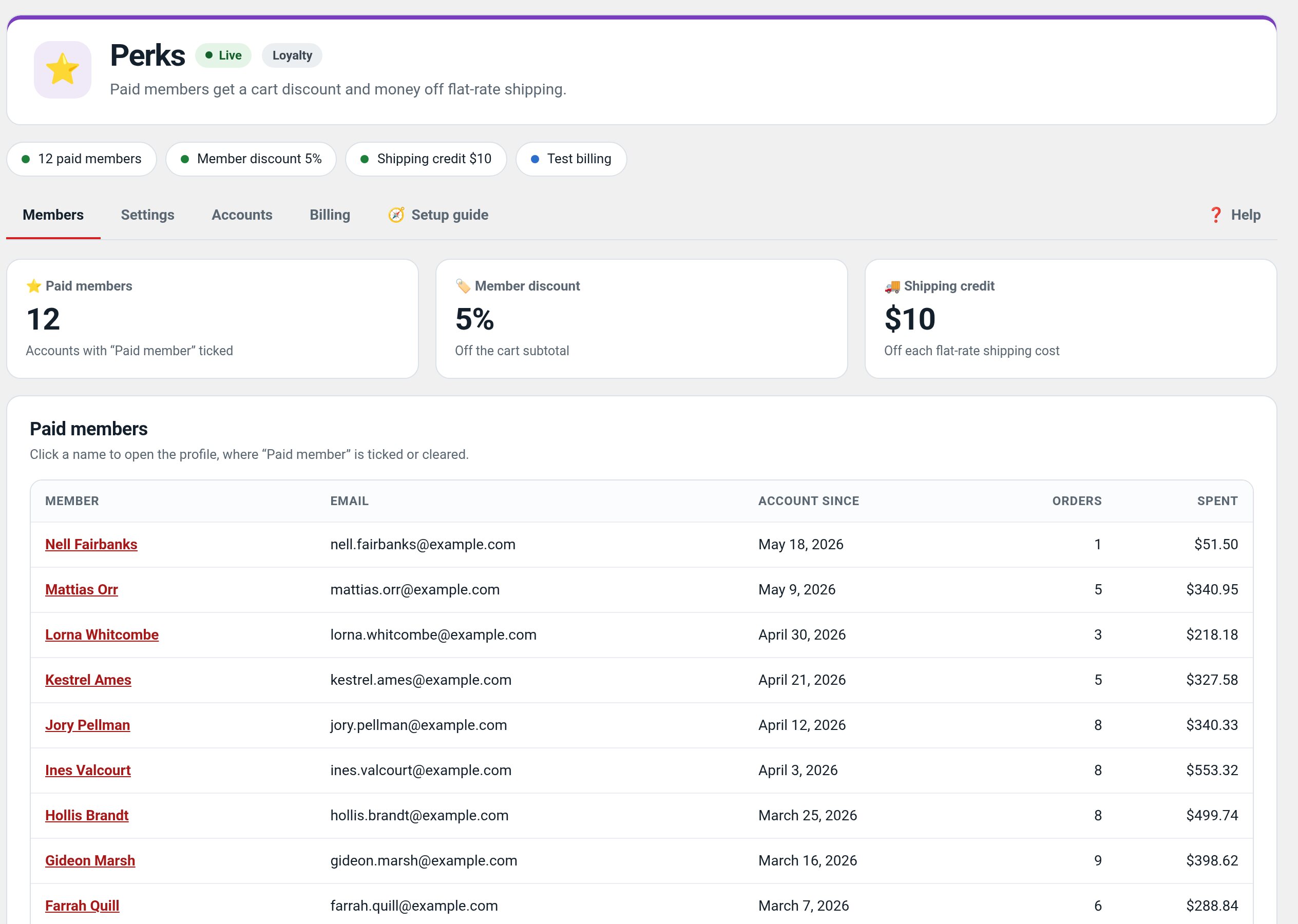
- A member flag you can toggle per customer.
- A percentage off the cart for members (5% by default).
- A shipping credit for members.
- A member pitch on the product page.
Screenshots
What it does for you
Repeat customers keep a liquidation store alive, but a full membership platform is overkill when all you need is a way to reward the people who pay for an upgrade. Perks keeps it simple: one “Paid member” checkbox on the user profile, and every perk turns on the moment you check it. Collect the subscription however you like — in store, by invoice, by phone — and flip the flag.
Features
- Paid-member flagUser meta et_member_paid, toggled by a checkbox shop managers see on the profile screen.
- Member discountA configurable percentage (default 5%) off the cart subtotal as a labeled negative fee — works on Buy Now too.
- Shipping creditA dollar amount (default $10) off every flat-rate cost, floored at $0, with member-facing labels (“free for members up to $10”).
- Product-page pitchNon-members see “get exclusive offers, 5% off, free shipping up to $10” with Join free / Ask about upgrading.
- Free tier by designAny registered account is a free member; only the paid flag gates perks.
- Developer helperempire_tools_is_paid_member( $user_id ) for themes and sibling plugins.
Use cases
A retailer manually managing paid-member discounts and shipping credits.
Example
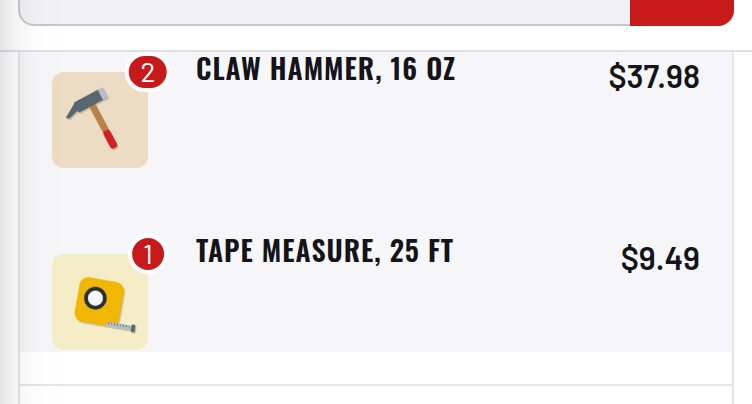
A logged-in paid member sees the configured discount and flat-rate shipping credit in cart.
Quick setup
- Activate (WooCommerce required). The card shows discount and credit under Customers.
- Users → edit a customer → tick Paid member → save. Collect their payment your way.
- Log in as that customer: the cart shows “Member discount (5%)” and flat-rate shipping drops by $10.
Configuration
| key | default | effect |
|---|---|---|
discount_pct | 5 | percent off the cart subtotal for paid members |
shipping_credit | 10 | dollars off each flat-rate shipping cost, floored at $0 |
Set any subset with WP-CLI — wp option update factorize-perks_options '{"key":"value"}' --format=json — or return values from the factorize-perks_config filter in a small plugin. Legacy empire-* option names are still read.
Only Flat rate shipping methods receive the credit; free shipping, pickup, and table rates are untouched. The demo stores pair Perks with the free Points & Rewards plugin for order-total points.
Step-by-step guide
- Set your numberswp option update factorize-perks_options '{"discount_pct":10,"shipping_credit":15}' --format=json
- Flag a memberUsers → profile → Paid member. The demo sites ship one: [email protected] / DemoMember1!
- See the perksAs that member, add items and go to checkout: the discount fee line and relabeled shipping appear; a guest sees the pitch instead.
Q&A
Does it bill members?
No, deliberately. Stripe subscriptions are on the roadmap and will set the same flag.
Why isn’t the shipping credit applying?
It targets Flat rate only, and the shopper must be logged in with the flag set.
Points?
The pitch mentions points because the reference store pairs it with an independent points plugin.
Roadmap
- Stripe subscription billing
- Multiple tiers
- Member-only products
- Birthday rewards
- Referral credits
What I need from you
Recent changes
- 1.2.0
- Preview of the pitch, cart line and shipping label.
- 1.1.3
- Suite hub 1.12.3: the support bubble lifts above the save bar while the bar is on screen (on phones it no longer covers Save).
- 1.1.2
- Suite hub 1.12.2: an SEO tab on the Factorize dashboard for the new SEO modules.