Docs · Selling
Bidding
The auction engine: proxy bidding, anti-sniping and relisting.
Download and install
Download Bidding 2.0.1 (.zip, 8 KB)
- Go to Plugins → Add New Plugin → Upload Plugin.
- Choose the zip you downloaded, then click Install Now.
- Click Activate Plugin.
- Open Factorize → Bidding.
Already installed? Updates arrive in Plugins like any other plugin. Full install guide
Where to find it
Factorize → BiddingWhat it does
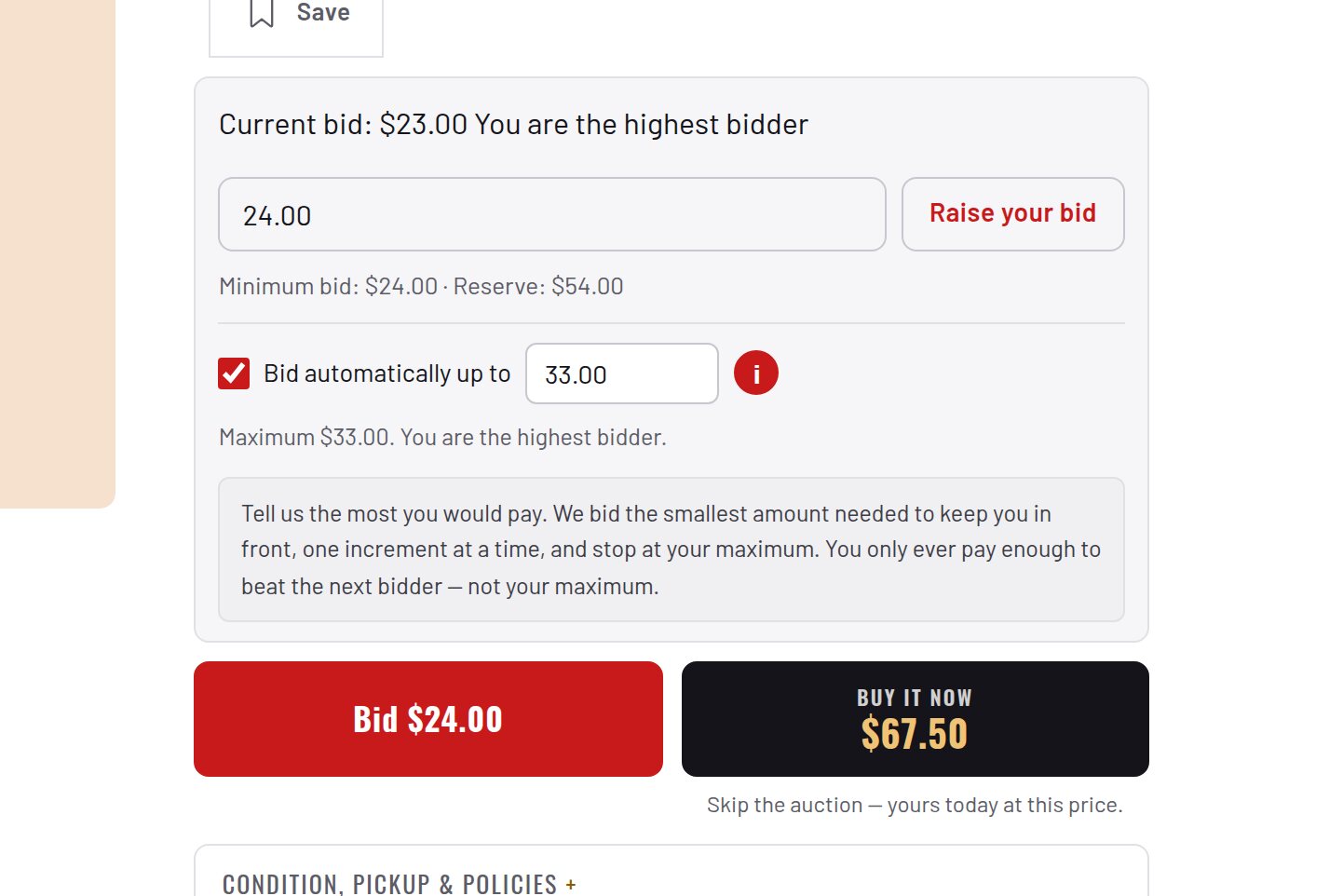
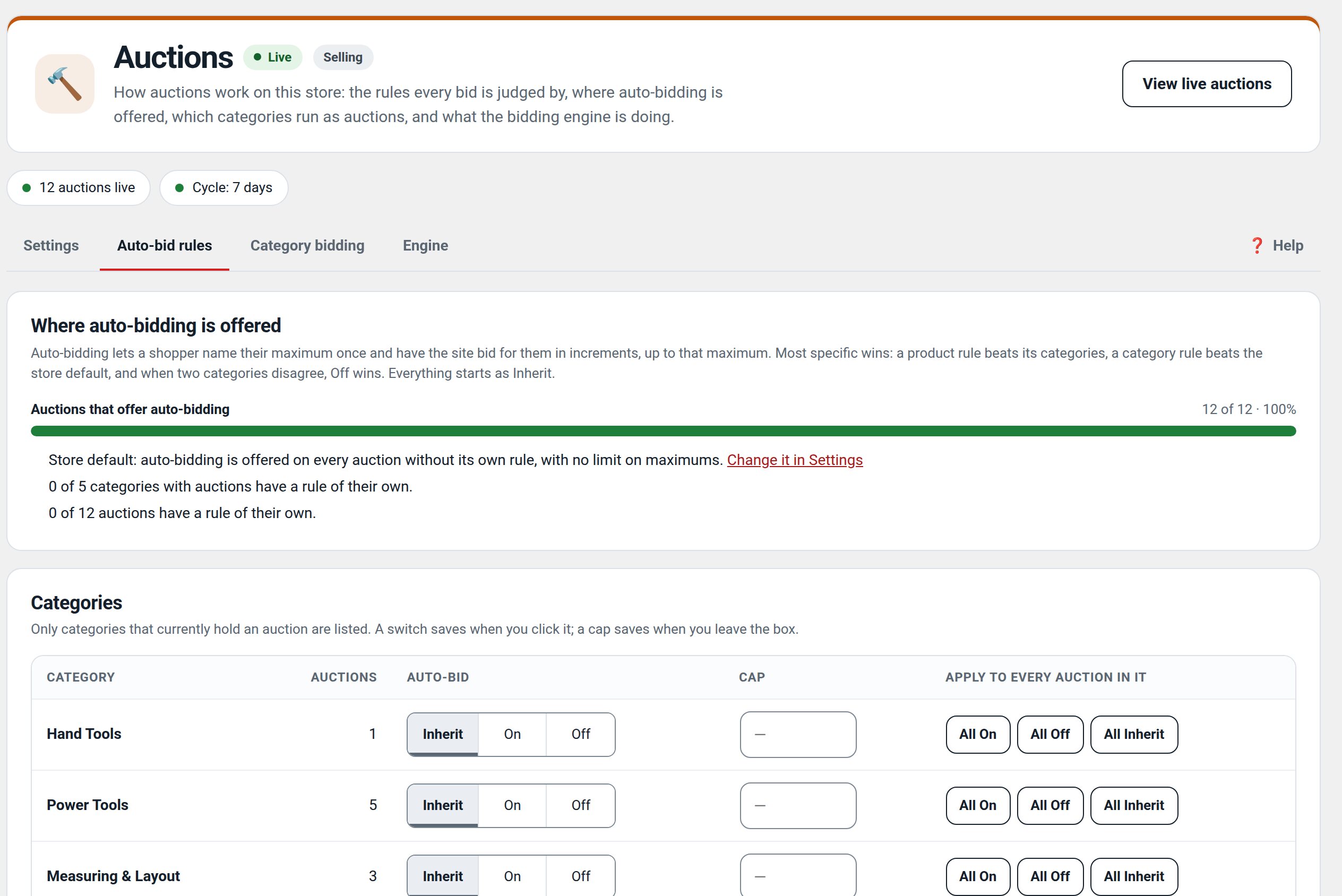
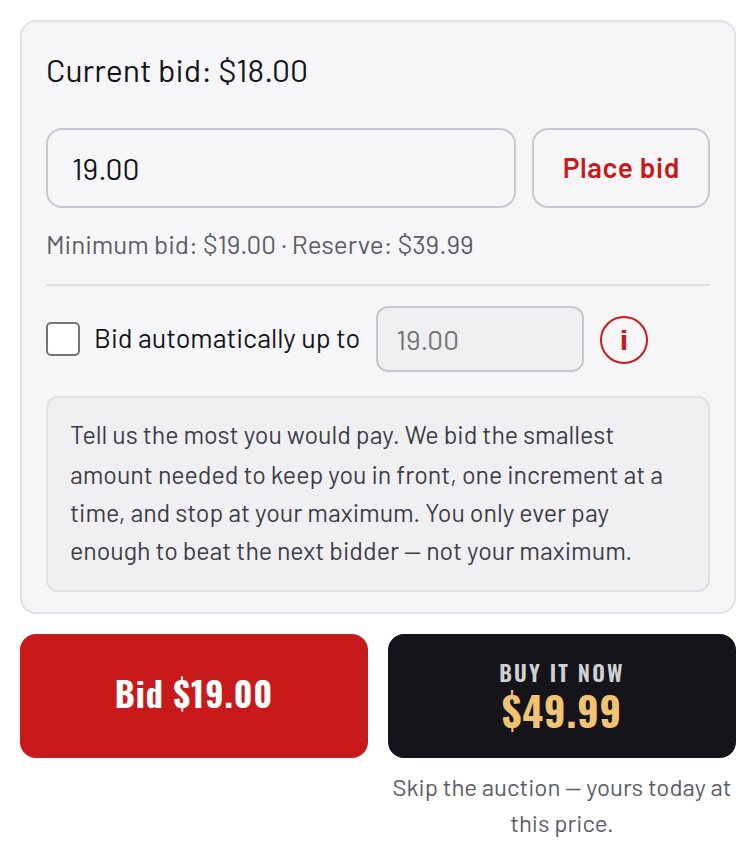
- Proxy bidding with tiered increments and anti-sniping.
- Reverse and silent auctions, scheduled starts, relisting.
- Watchlists, My Auctions and shortcodes.
Screenshots
Recent changes
- 2.0.1
- Suite hub 1.12.2: an SEO tab on the Factorize dashboard for the new SEO modules.
- 2.0.0
- Bidding is now part of Factorize Auctions. This plugin is an empty shell that does nothing. You can deactivate and delete it: your bids, watchlists and settings are kept.
- 1.0.0
- Beta: the auction engine with proxy bidding, anti-sniping, tiered increments and relisting.