FACTORIZE
Factorize · Insights

Factorize Analytics

Free · GPLv2+ Views and add-to-carts per product, rolled up into the Store Stats dashboard.

What it does for you

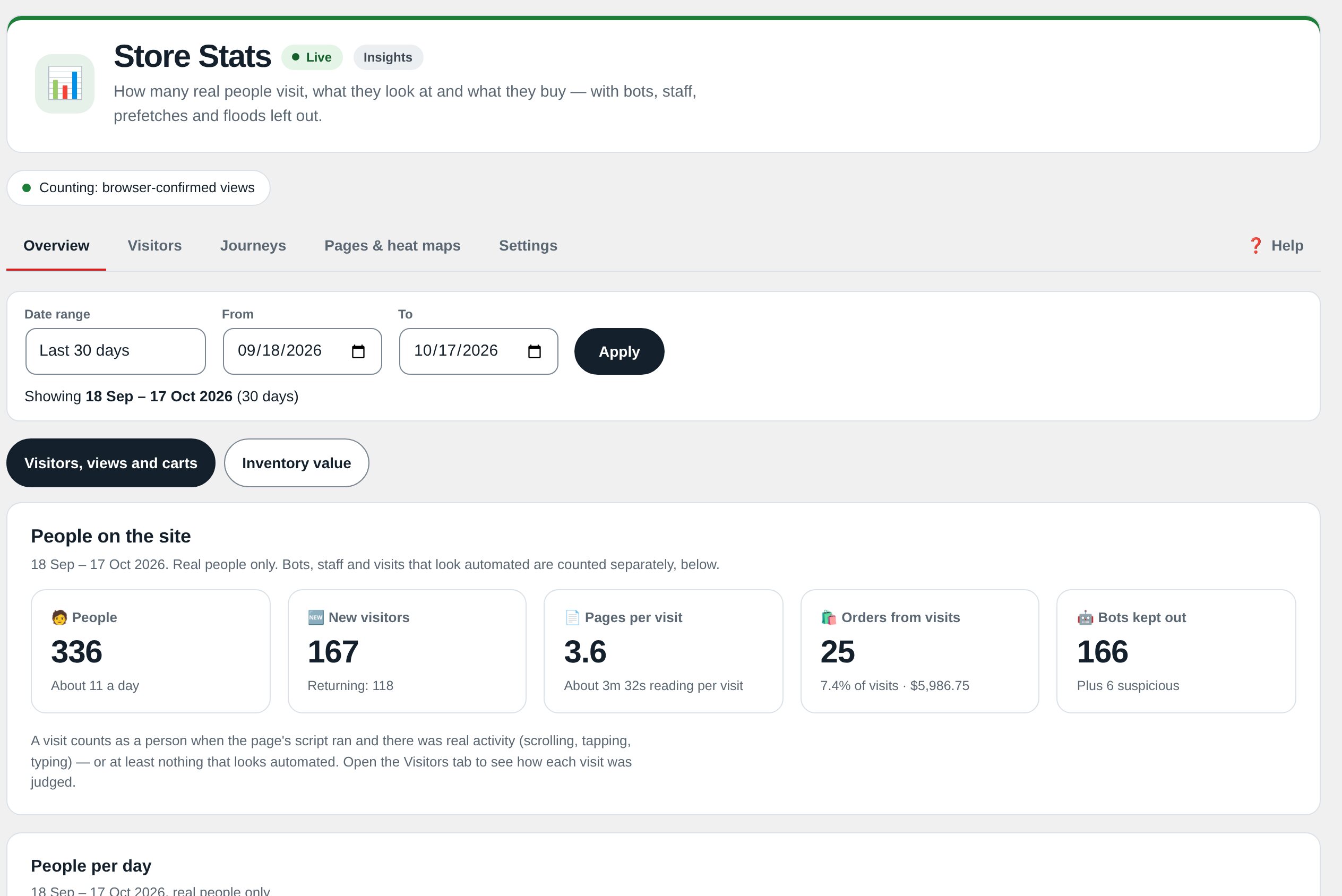
WooCommerce tells you what sold. It does not tell you what almost sold — which products people keep opening and carting without buying, and which listings nobody looks at. Analytics fills that gap with small self-contained counters stored as post meta in your own database: no cron, no JavaScript tracker, no external service. Store Stats rolls them up from site totals to category to product in two clicks.

Every feature

Setup

  1. Activate (WooCommerce required). Counting starts immediately; there are no keys.
  2. Browse a few products in a private window (your own logged-in views are skipped), add something to the cart, then open Factorize → Store Stats.

Configuration

1.0.0 ships no tunables; factorize-analytics_options and the factorize-analytics_config filter exist for future keys. Counters live in six post-meta keys per product (_et_views_total/_week/_week_key, _et_carts_total/_week/_week_key).

Tutorial

  1. Find what almost sellsStore Stats → a category → sort by carts: products with many carts and few sales are pricing or trust problems.
  2. Find dead listingsSame table sorted by views ascending: products nobody opens are candidates to re-photograph, re-title, or pull.
  3. Read the columnsProducts → All Products shows Views / Carts / Sold as this week / all time — sort by Views to triage.

Questions

Why don’t my own page views show up?

By design: logged-in users who can edit products are skipped so merchandising work does not inflate the stats.

What about GDPR/CCPA?

Only aggregate counters are stored; no cookies or personal data. Mention it in your privacy policy; ask for counting to be limited if you want.

What happens to the data on uninstall?

Only the plugin’s options are removed; counters stay so reinstalling picks up the history.

Roadmap

What I need from you

The inputs only the store owner can supply — keys, wording, photos, decisions, hardware — with the exact screen or command for each: Factorize Analytics — what I need from you (PDF).