What it does for you
Liquidation, bin, and open-box stores sell trust as much as product. Shoppers need to know why the price is low, what “open box” means, and how pickup works before they reach checkout. Stock WooCommerce answers none of that: sale badges just say “Sale!”, out-of-stock cards look buyable, a failed search is a dead end, and the fine print lives nowhere. Essentials is the store-wide behavior layer that fixes all of it — every feature exists because a real 950-product store needed it.
Every feature
- Real percent-off flashThe on-sale badge shows the actual discount (“-29%”) instead of “Sale!”; variable products show the highest discount across variations.
- SAVE $x lineSimple products on sale get a “SAVE $12.50” badge under the price, computed from the regular/sale gap.
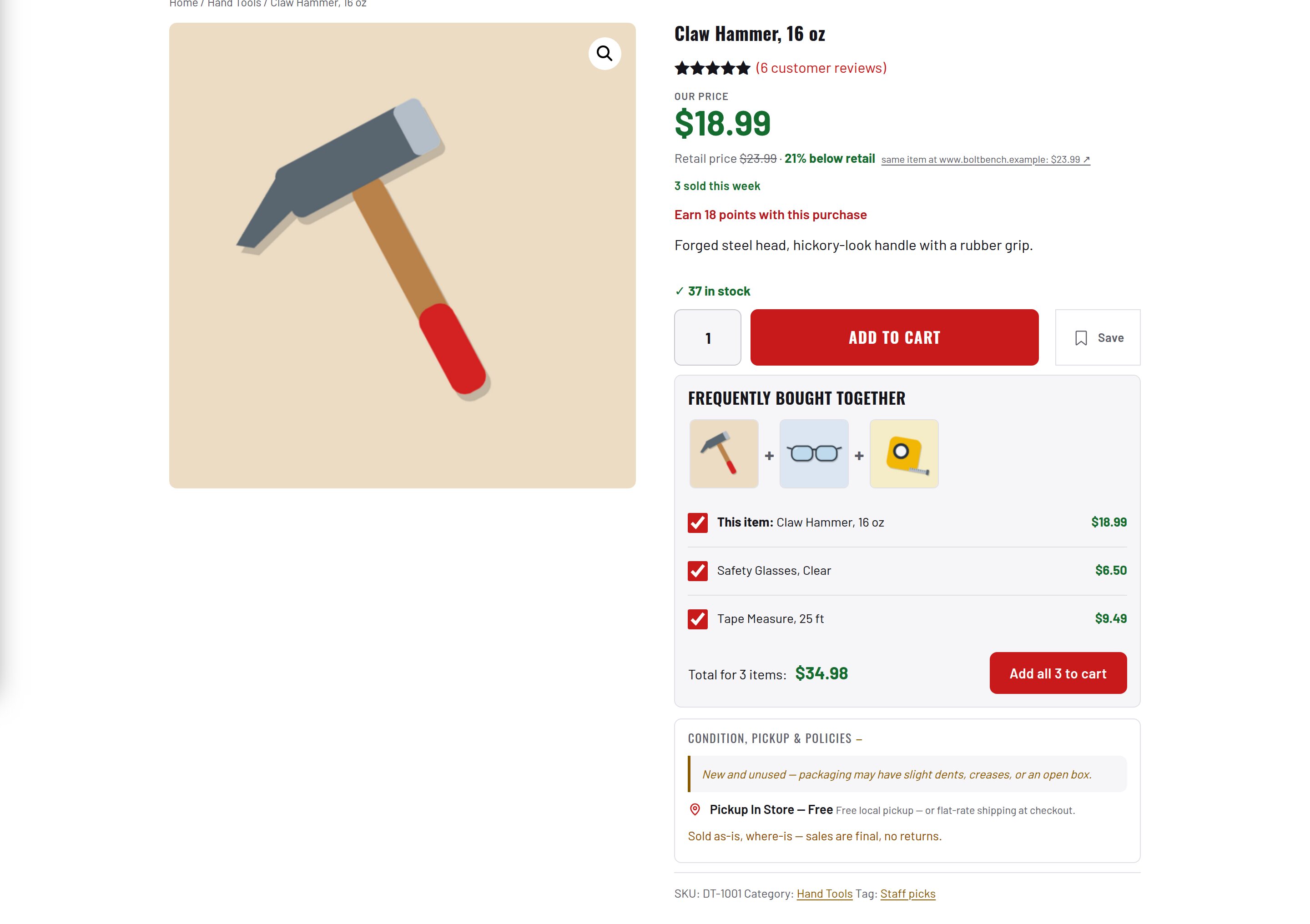
- Condition noteA configurable disclaimer under every product summary (default: “New and unused — packaging may have slight dents, creases, or an open box.”).
- Pickup noteA map-pin line under the buy box with a bold title and small-print sub-line (default “Pickup In Store — Free”).
- OUT OF STOCK badges + View DetailsUnavailable products are labeled in the grid and their loop button reads “View Details” instead of “Add to cart”.
- Live cart badgesAn AJAX fragment keeps every span.et-cart-count (header, bottom bar) updated instantly.
- Checkout fine printCondition, as-is, and pickup disclaimers restated on the Blocks checkout, where they matter most.
- Pickup-first checkout copyRewrites three shipping-centric WooCommerce strings for stores that mostly do local pickup.
- Guest-checkout reassuranceA note above the login form: an account tracks orders, none is needed to check out.
- In-stock-only deal rows[products on_sale=”true”] rows show only in-stock deals and never repeat the Featured row above.
- In-stock-first related productsRelated rows prefer in-stock items and only fall back to out-of-stock picks last.
- Brand chip rowA horizontally scrollable one-tap category filter above the grid on shop and search pages.
- Guided no-results pageThe shopper’s query echoed back, a spelling nudge, and Shop All Deals / Home buttons.
- Spacer cleanup + title ellipsisStrips migration-leftover empty paragraphs at render time; adds a display-only “…” to hard-cut titles.
- Double-tap protectionRe-adding a sold-individually item already in the cart becomes a quiet no-op, not a red error.
- Stale-notice sheddingClears leftover session notices on cart and checkout so the Store API never rejects an order (HTTP 409) over an old notice — a real lost-sale bug, fixed.
- Breadcrumb polish + sidebar removalClean Home / Category / Product delimiter; full-width shop layouts.
Setup
- Upload the folder to wp-content/plugins (or the zip via Plugins → Add New) and activate.
- Keep WooCommerce active — Essentials is inert without it.
- Open the Factorize menu: the Essentials card sits under the Storefront tab. Nothing to configure there; the storefront changes are live.
- Open an on-sale product: percent-off flash, SAVE line, condition and pickup notes are visible.
Configuration
| key | default | effect |
|---|---|---|
condition_note | New and unused — packaging may have slight dents, creases, or an open box. | disclaimer under the product summary |
pickup_title | Pickup In Store — Free | bold first line of the pickup note |
pickup_sub | Free local pickup — or flat-rate shipping at checkout. | small-print second line |
Set any subset with WP-CLI — wp option update factorize-essentials_options '{"key":"value"}' --format=json — or return values from the factorize-essentials_config filter in a small plugin. Legacy empire-* option names are still read.
Per-string filters empire_tools_condition_note, empire_tools_pickup_title, and empire_tools_pickup_sub apply on top of the configured values. Markup carries stable classes (et-save-badge, et-oos-badge, et-condition-note, et-pickup-note, et-brand-chips, et-no-results, et-checkout-fineprint, et-cart-count) and leaves the look to the theme.
Tutorial
- Write your own wordingDecide the condition note and pickup lines you stand behind and set them once: wp option update factorize-essentials_options ‘{“condition_note”:”Open box — inspected and complete.”,”pickup_title”:”Pickup at the warehouse — free”}’ –format=json
- Check a sale productPut a product on sale in WooCommerce. The badge now shows the real percentage and the SAVE line appears under the price.
- Mark something out of stockSet stock to 0: the grid shows OUT OF STOCK and the button becomes View Details; the item sinks to the end of every sort when Catalog is active too.
- Try to break checkoutTap Add to cart twice fast on a sold-individually item, then go to checkout: no red notice, one item, and the order goes through.
- Search for nonsenseSearch “xqzv”: the guided no-results page echoes the query and offers Shop All Deals.
Questions
Does it work without the other plugins?
Yes. Alone it stands up the Factorize hub with its Storefront card. Its only cross-plugin awareness is subtracting Featured products from on-sale rows, which silently skips when nothing is featured.
Does any data leave my server?
No. No external requests, no CDNs, nothing phones home.
What happens on uninstall?
Only the factorize-essentials_options (and legacy) option rows are deleted — no product meta, orders, or tables were ever written.
Roadmap
- Per-category condition notes
- Badge style presets
- Admin-editable checkout fine print
- Payment trust-badge row